
1. Procedure Title
Name of the Process: Agency Assassin CTR Campaign
2. Purpose
Brief Description: To establish a standardized process for setting up CTR campaigns in Agency Assassin for client GBPs to improve local ranking.
3. Scope
Involved Areas: SEO
4. Responsibilities
Roles and Responsibilities:
- SEO Specialist to-do’s:
- Determine clients needing help with local rankings
- Set up clients in the Agency Assassin platform
- Compile GBP stats from profiles
- Determine searchable keywords in Google Maps that will make the client’s GBP show up
5. Definitions and Key Terms
Glossary:
- Agency Assassin – CTR tool for local SEO
- CTR – meaning Click through rate, a metric used in online advertising to measure the effectiveness of an ad campaign
6. Procedure Details
6.1. Preparation and Prerequisites
- Determine clients needing help with local rankings
- Determine searchable keywords in Google Maps that will make the client’s GBP show up
6.2. Step-by-Step Procedure
- Determine GBP Stats
-
- Go to the GBP profile. Click on Performance.
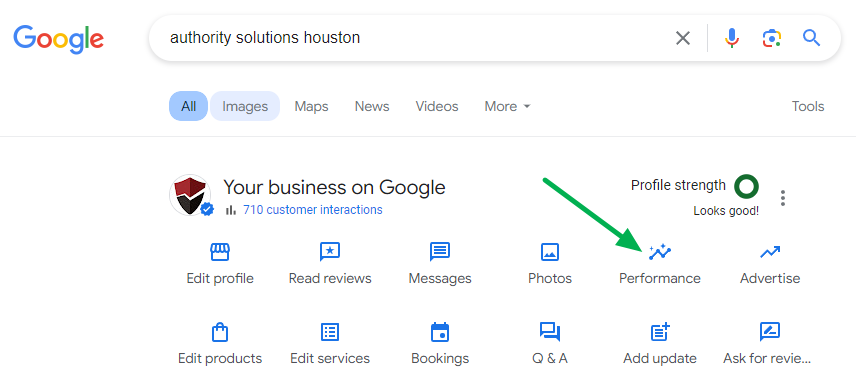
- Go to the GBP profile. Click on Performance.
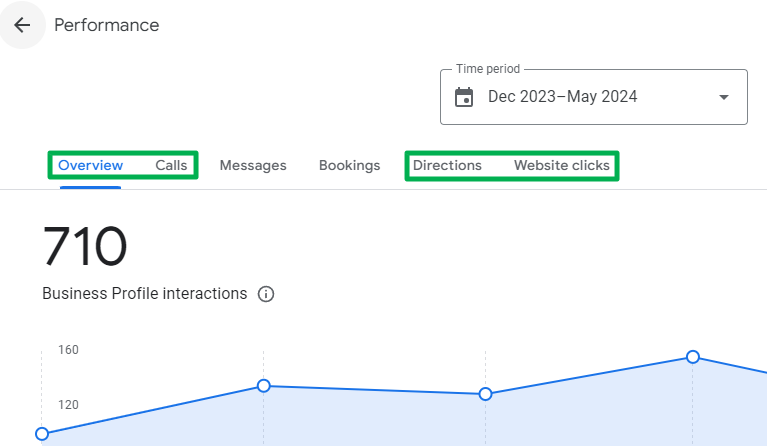
- Gathering GBP stats:
-
- 6 Month Total (Overview)
- Calls
- Directions
- Website Clicks
- Daily (M-F) 120 Days | Daily Conversion Events (6 Month Total /120)
- Creating the Agency Assassin Campaign
-
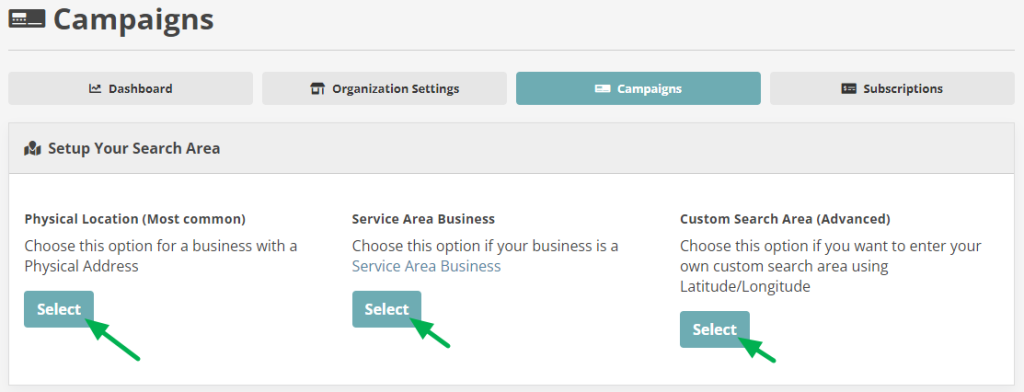
- Click on the Create Campaign button
- Select Search Area
- Fill out client information
- Campaign Name – ClientCode_BusinessName
- Google CID
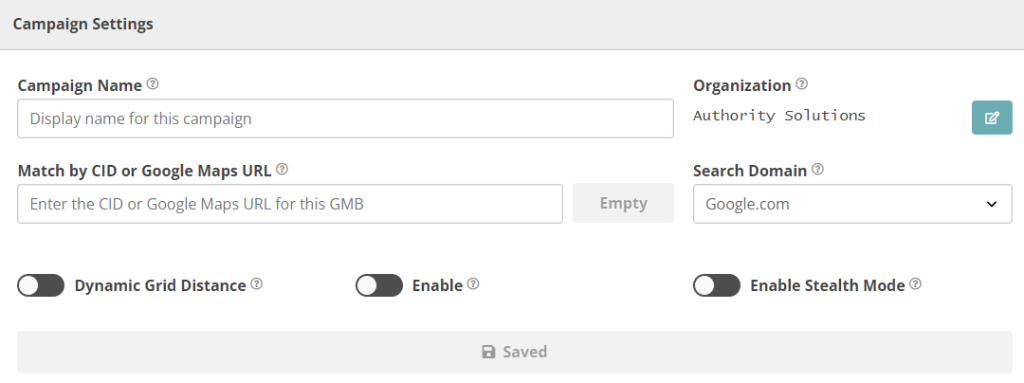
- Click Save
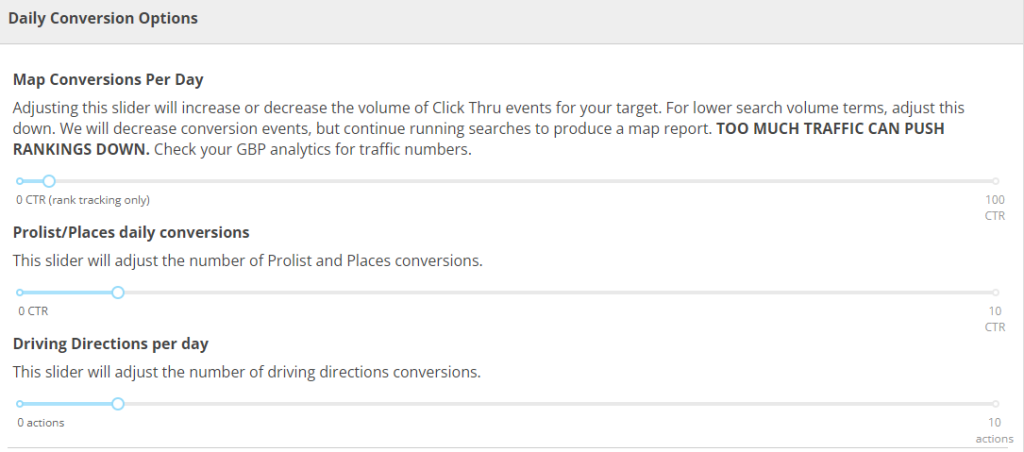
- Daily Conversion Options
-
- Based on the total number of stats, the initial daily conversion events should be the quotient of the 6-month total divided by 120. For example, if the quotient is 5, distribute the conversions as follows:
- Map Conversions per day
- Prolist/Places daily conversions (Local Pack)
- Driving directions per day
- Based on the total number of stats, the initial daily conversion events should be the quotient of the 6-month total divided by 120. For example, if the quotient is 5, distribute the conversions as follows:
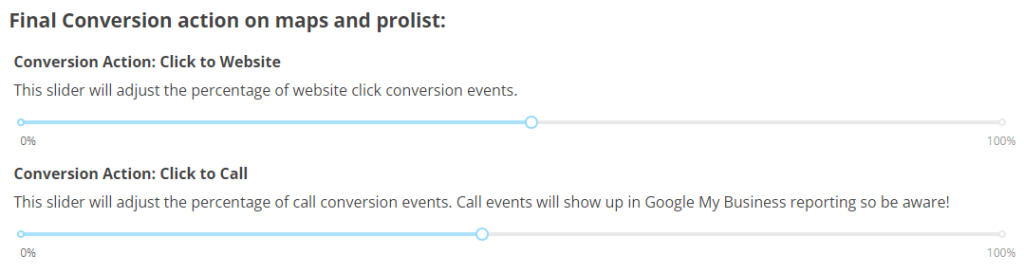
- Slide to adjust the percentage of conversion actions in the Final Conversion action on maps and prolist:
- Conversion Action: Click to Website
- Conversion Action: Click to Call
- Keywords
-
- Make sure the GBP shows up in Google Maps when searching keywords you prefer

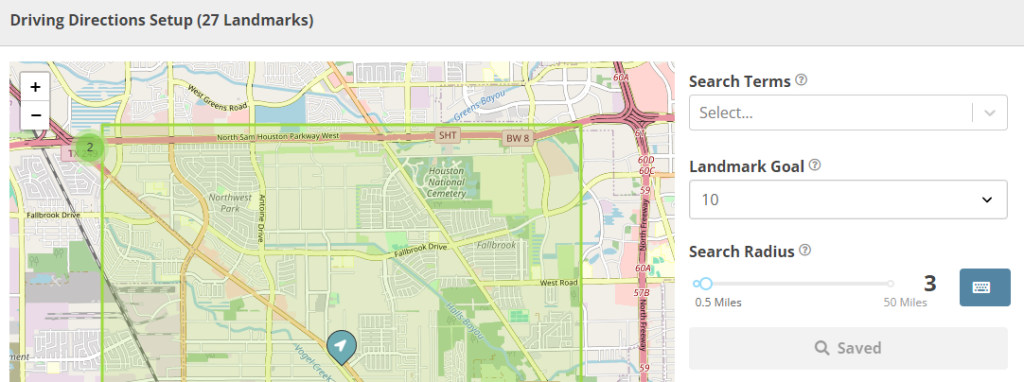
- Driving Directions Setup
-
- Select the search terms in the drop down, along with the landmark goal and search radius
New Updates:
Keywords
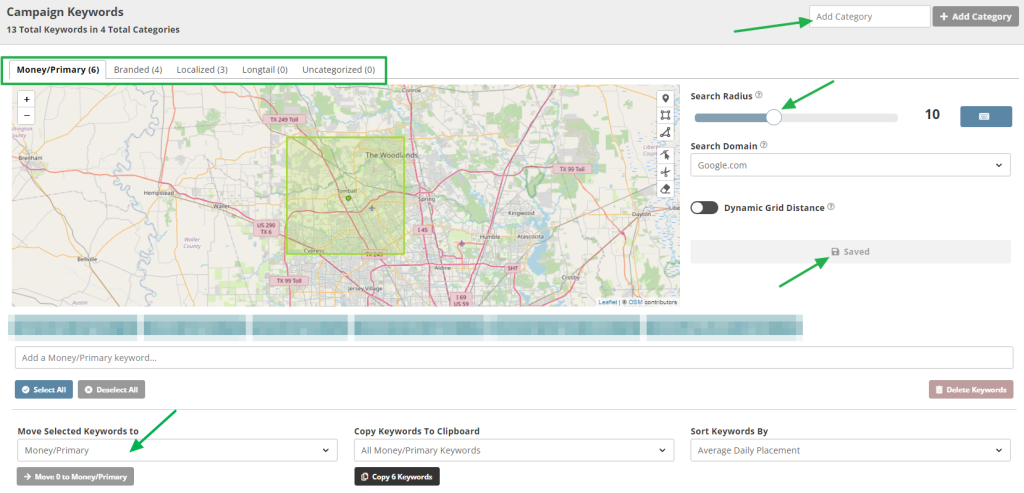
Category – You can now categorize keywords according to their purpose. Each keyword category has a radius that can be customized.
Events
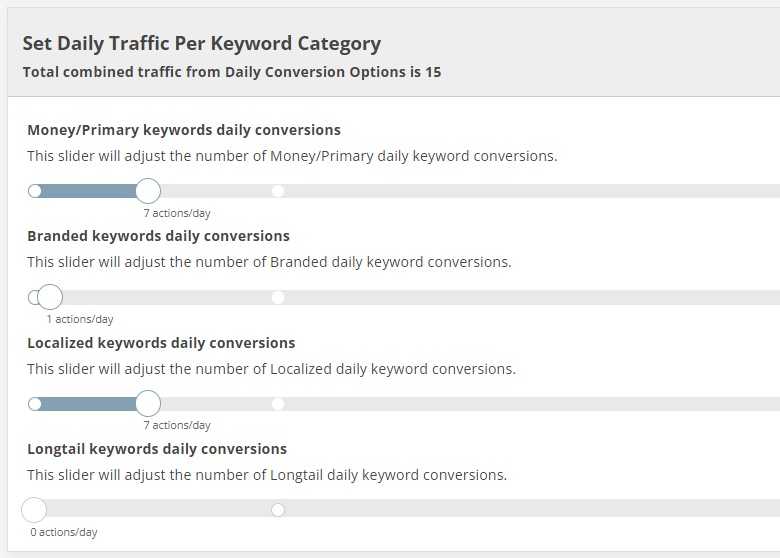
Each keyword category can have their own number of daily conversions
| Daily Traffic Per Keyword Category | |
| Money/Primary keywords daily conversions | This slider will adjust the number of Money/Primary daily keyword conversions. |
| Branded keywords daily conversions | This slider will adjust the number of Branded daily keyword conversions. |
| Localized keywords daily conversions | This slider will adjust the number of Localized daily keyword conversions. |
| Longtail keywords daily conversions | This slider will adjust the number of Longtail daily keyword conversions. |
6.3. Tools and Resources
- Agency Assassin
- Google Business Profile
7. Quality Control and Evaluation Metrics
To ensure the quality and effectiveness of CTR campaigns set up using the Agency Assassin tool.
8. Exception and Problem Handling
To provide a standardized approach for addressing exceptions and problems that may arise during the setup and execution of CTR campaigns.
9. Documentation and Record Keeping
Record the initial campaign and actions taken, and final resolution in the tracking document: https://docs.google.com/spreadsheets/d/1SIrtEgPezCTjvv04JXzi5EFRUm9ISvrk79PF4GR0MAc/edit#gid=750508309
10. Procedure Review and Update
Review and update the campaign weekly/biweekly to ensure that the SOP for adjusting CTR campaigns remains current and effective.