
1. Procedure Title
Name of the Process: Indexation and Reindexation
2. Purpose
Brief Description:
A procedure in which our backlinks will be checked on a bi-weekly basis and the non-indexed links are sent to OmegaIndexer or Indexmenow for Reindexing
3. Scope
Involved Areas:
- SEO
- Responsibilities
Roles and Responsibilities:
- Making sure we get as much indexed links as we can on our list
- Reindexation would get our links a higher chance of being indexed and a high percentage of indexed links
5. Definitions and Key Terms
Glossary:
-
- Indexed: This refers to the process of adding data or documents to an index, which is a structured system that allows for quick searching and retrieval. In databases and search engines, being indexed means the content has been analyzed, categorized, and stored in a way that makes it easily accessible through queries.
- Non-indexed: This term describes data or documents that have not been added to an index. Non-indexed content is not organized for quick retrieval, making it slower and more difficult to search. In databases and search engines, non-indexed data may not appear in search results or take longer to locate.
- Reindexation: This is the process of updating an index to reflect changes in the underlying data or documents. Reindexation ensures that the index remains accurate and up-to-date, accommodating new, modified, or deleted content. It is an important maintenance task to keep search results relevant.
- Submit to Indexer: This refers to the action of sending data or documents to be included in an index. Submitting to an indexer involves providing the information to the system responsible for indexing, so it can be processed and made searchable. This is commonly done in search engine optimization (SEO) to ensure web pages are indexed by search engines.
- YACSS – A backlink that is made in YACSS Software (Cloudstacking)
- Web 2.0 – A compilation of high domain links that we build out for our clients
- Press Release – A backlink coming from a third party Press Release website
- Social Links – Backlinks that are made on Social Media Platforms (e.g. Twitter, Facebook, Instagram)
- Rank Fortress – Links that are made on Rank Fortress’ Platform that we purchase
- Live – A backlink that is currently Live
- 404 – A backlink that is currently removed or deleted
- Site is down – A domain containing our backlinks that has currently gone down
- Taken Down – A backlink that is commonly removed by an administrator or removed by the website due to circumstances
- Pending – A backlink that is currently in the work and has not been live yet (e.g. Brightlocal Citations)
- PA(Page Authority) – A Backlink’s Page Authority that is determined by metrics that shows how big an authority is for our backlink
- Editable – A backlink that is editable and can be edited once changes are required
- Date Checked – The date in which the backlink has been last checked
6. Procedure Details
6.1. Preparation and Prerequisites
[List the preparatory steps and prerequisites for the process]
- Indexer Sheet
- Index Checker: Serped, Indexcheckr
- OmegaIndexer
6.2. Step-by-Step Procedure
Index Checking
- First, you have to go to our company indexer sheet
- Next thing you need to do is go through the tabs one by one
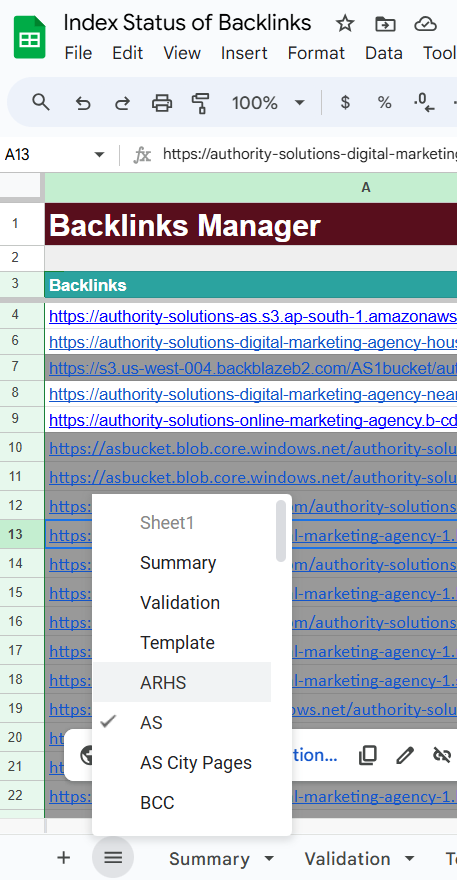
- For this SOP we will sample with Authority Solutions’ backlinks
- On this section you can see the filter button
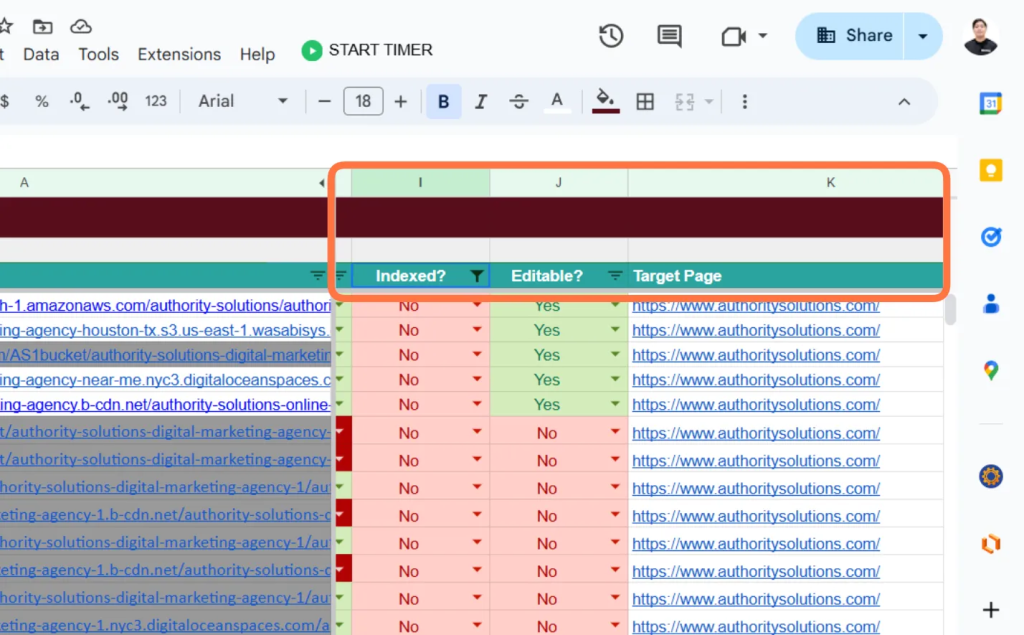
- Click on the filter button on the “Indexed” Tab and select filter to “NO”
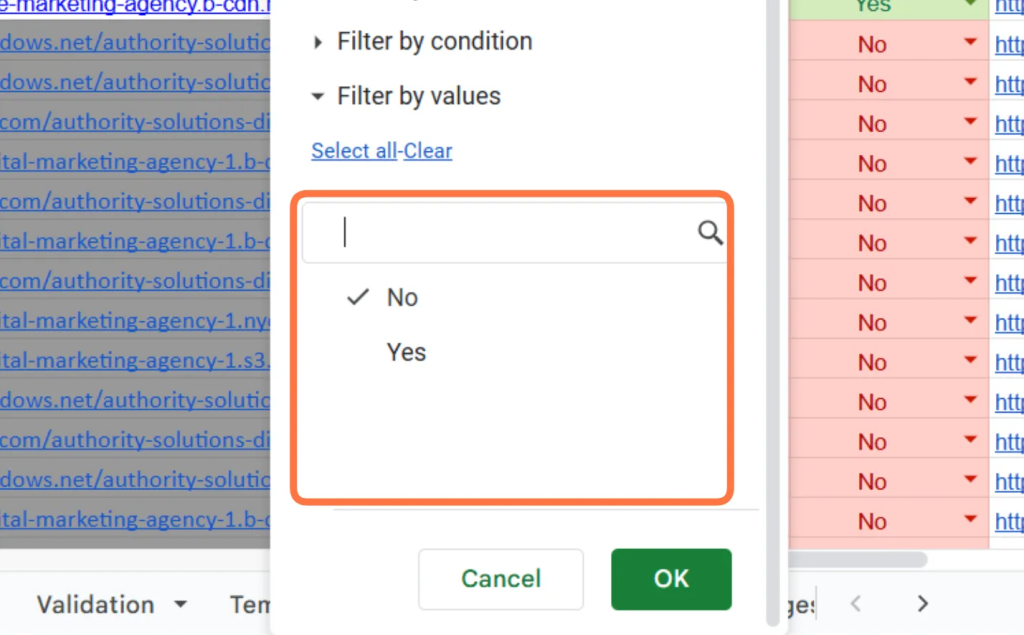
- After filtering the “Not indexed” Links, go ahead and select ALL the backlinks that has the no indexed status.
- Then go to SERPED or Indexcheckr. Both of them had a similar function and process on checking the indexed links.
- For example, in Indexcheckr, go ahead and login. Then you will see this interface:
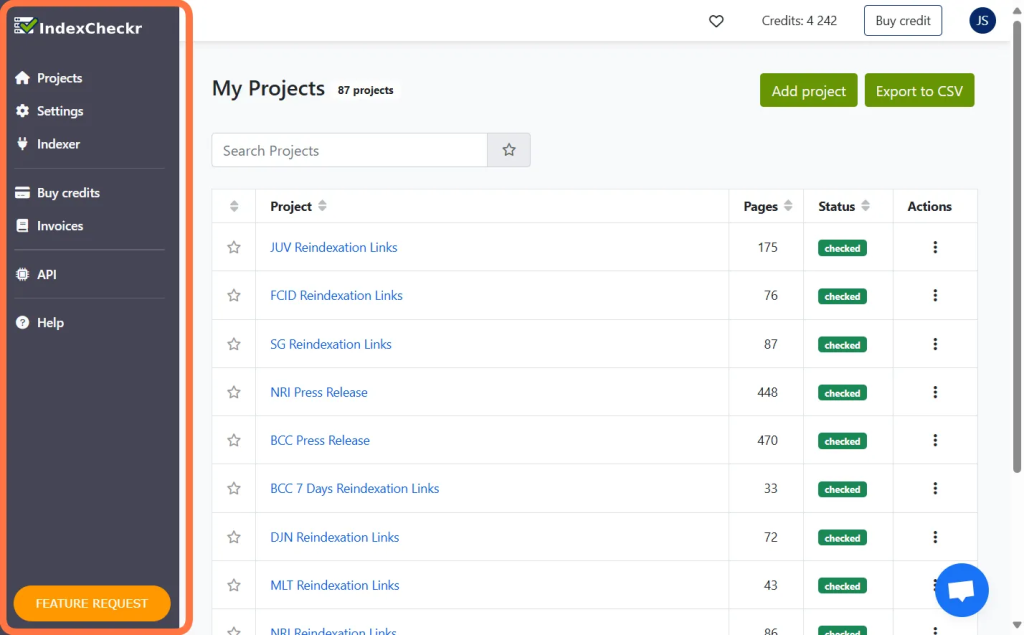
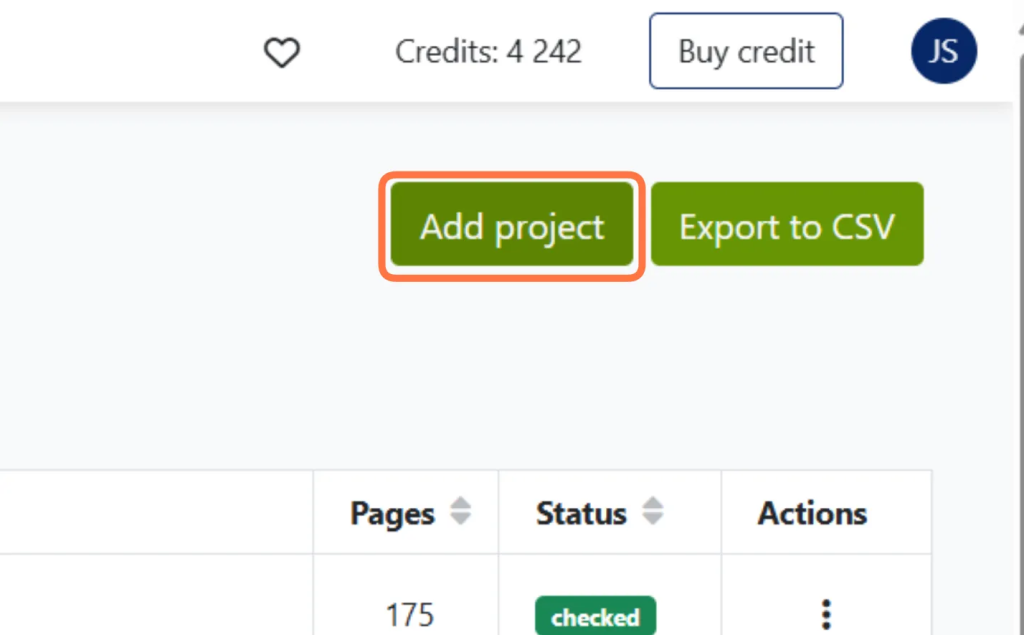
- Go to Projects and Select “ADD PROJECT”
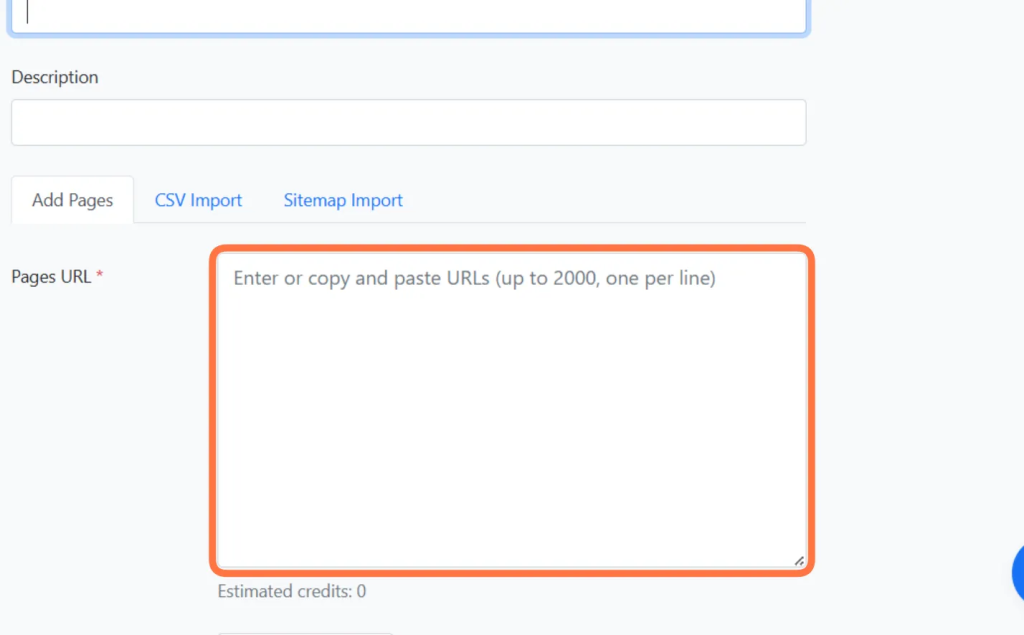
- Enter the Project name you want (e.g. AS Links Index Checking), and paste the URLs that you have selected on the sheet.
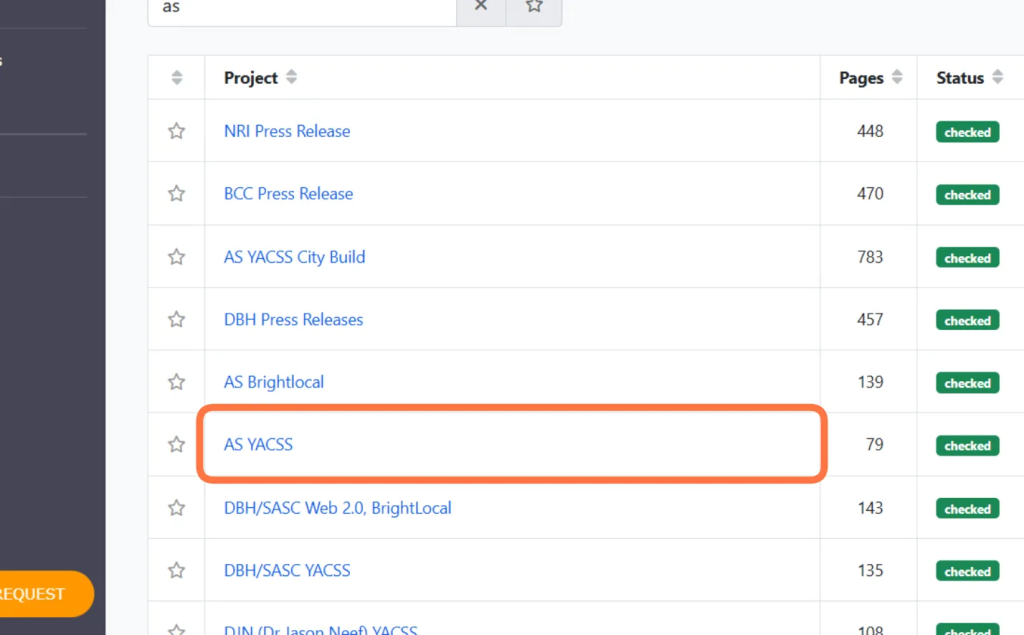
- Onto the projects tab, select the project that you have and wait for the status to be marked as “Checked”. Select and open the project.
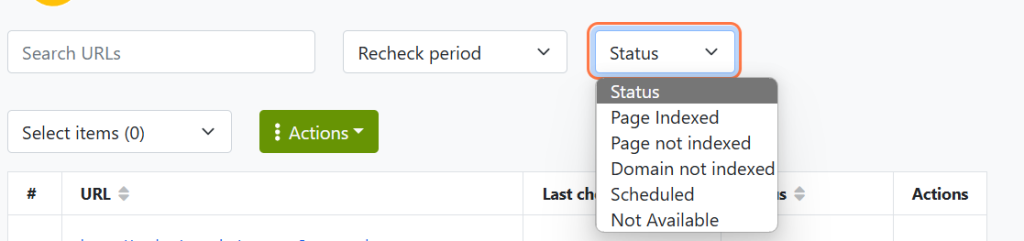
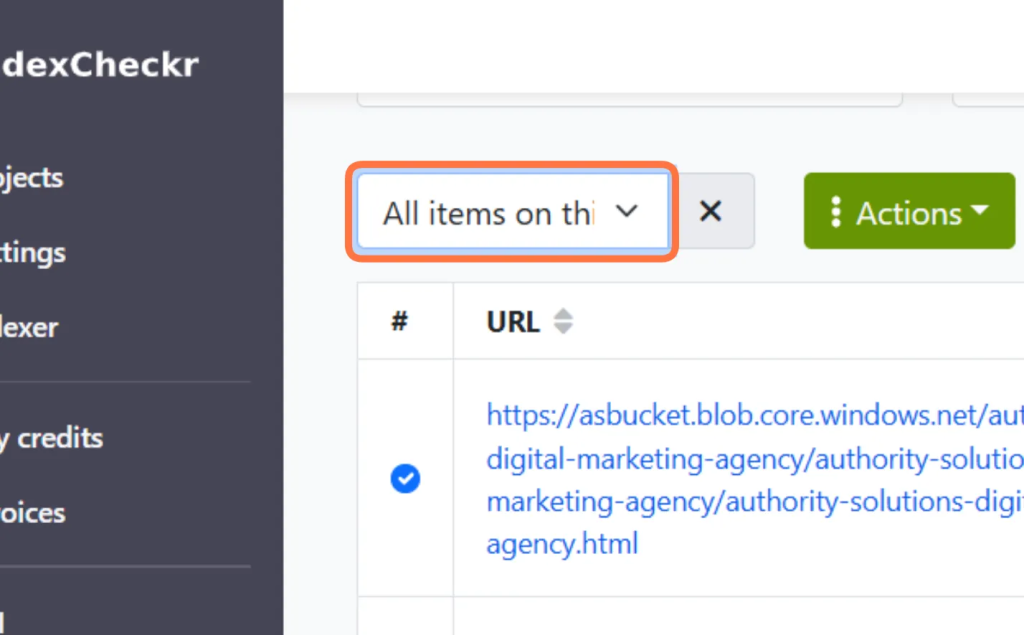
- Go ahead and click the Status Section of the project links that you entered. Select “Page Indexed” and “Select All items on this page” and export the csv file.
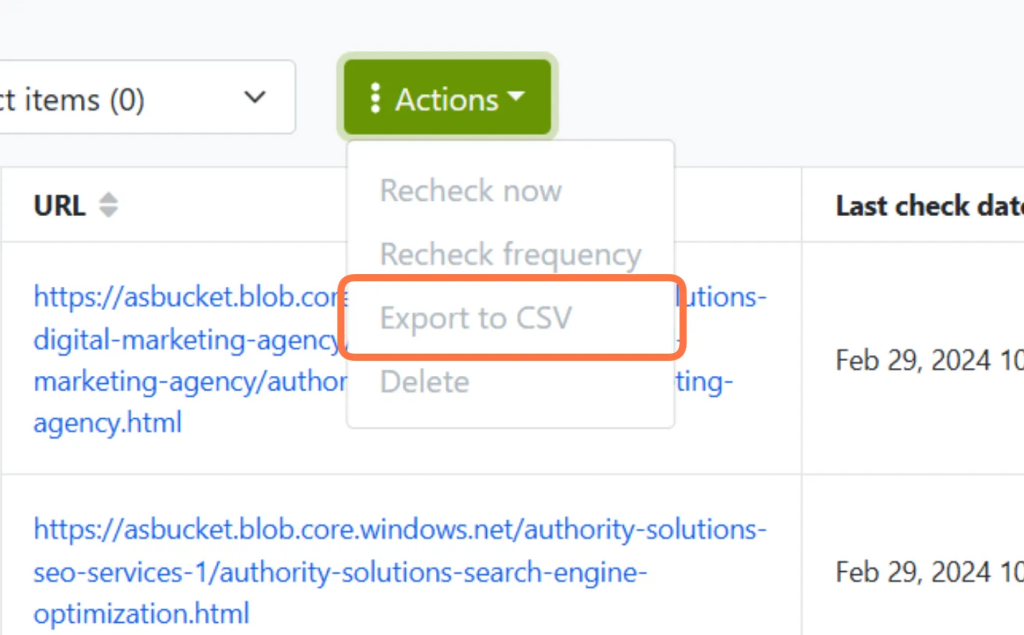
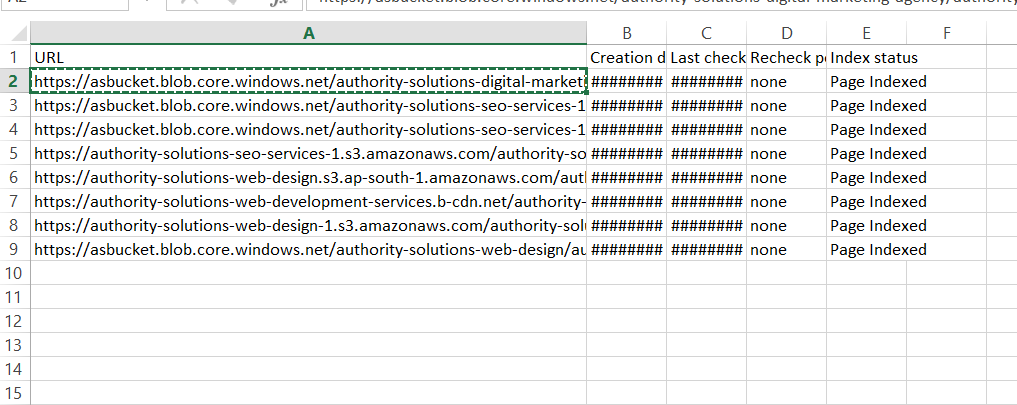
- Once you have exported the .csv file, go ahead and open the file.
- Copy and Find each URL on the .csv file to the Indexing Sheet
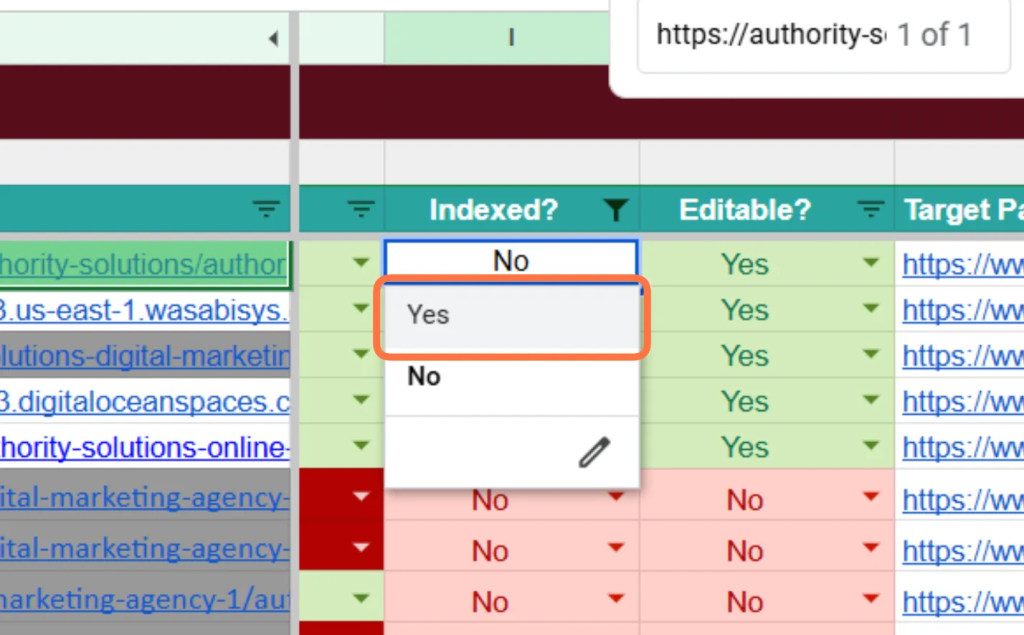
- If you find the URL on the indexer sheet, mark it from “NO” to “YES” if it has been indexed.
- Do this to all the indexed links and you will have the Indexing Check task done!
Reindexation Task
- For this task, we will get our non-indexed links, indexed. The goal here is to have as much link as we have to be indexed.
- First, this is NOT applicable to all clients, there will be a task given on which client we will do it for. For this SOP we will use AS as an example.
- First, do a filter again with the “Index Status” with “NO” value.
- This will be a weekly task, recurring monthly. After filtering the “NO” status on the Index column, gather all the links and go to OmegaIndexer.
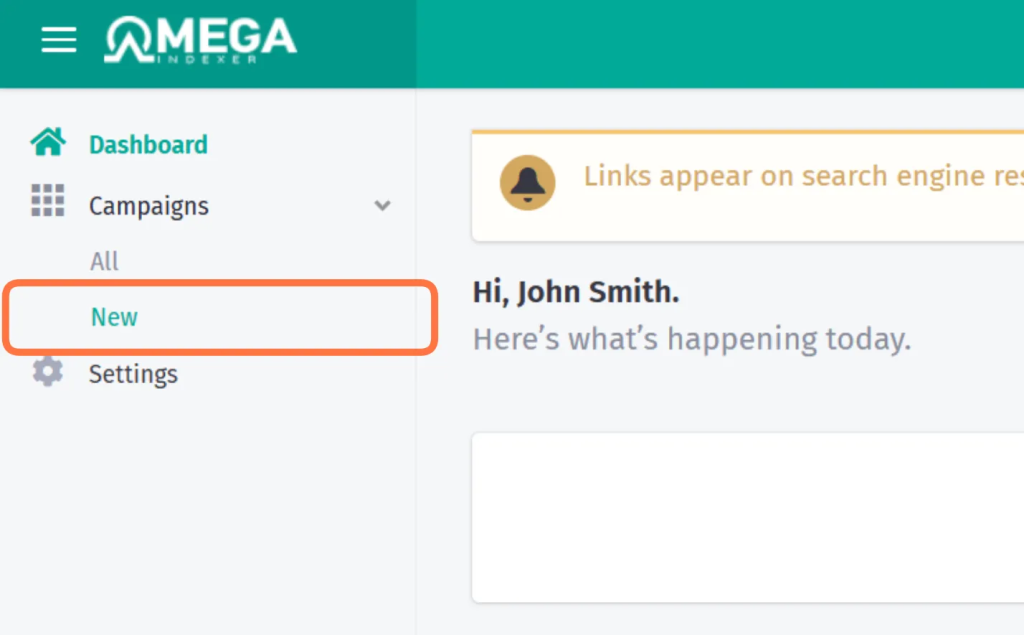
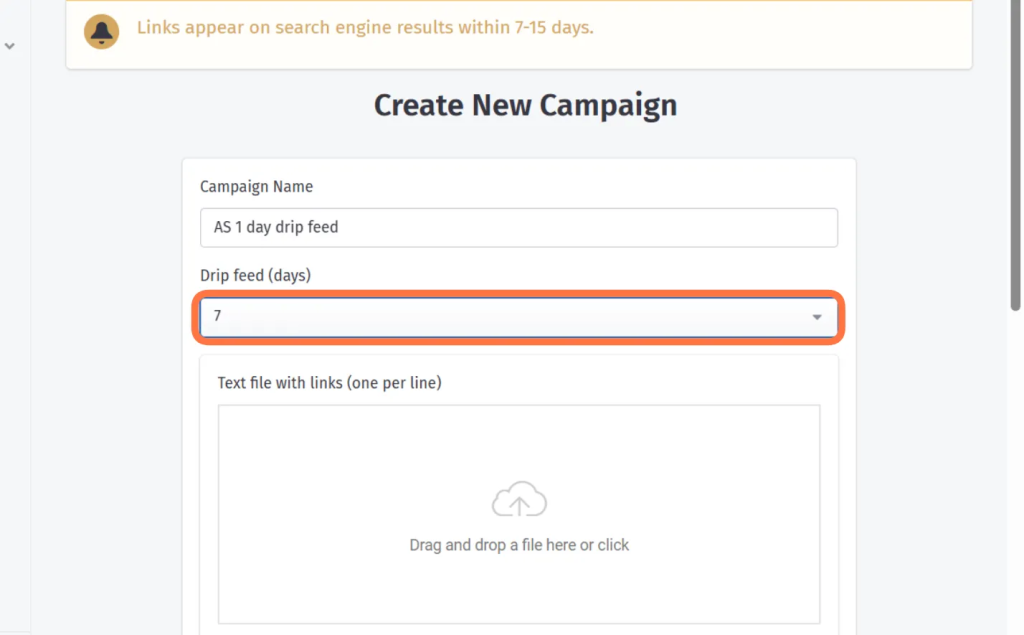
- Go to CAMPAIGNS and click “NEW”
- The name of the campaign should be “Client Code + # of day drip feed”
For Example: AS 1 Day Drip Feed - For the campaign we will have a 1, 3, and 7 Days Drip Feed.
The first one should ALWAYS be 1 day drip feed.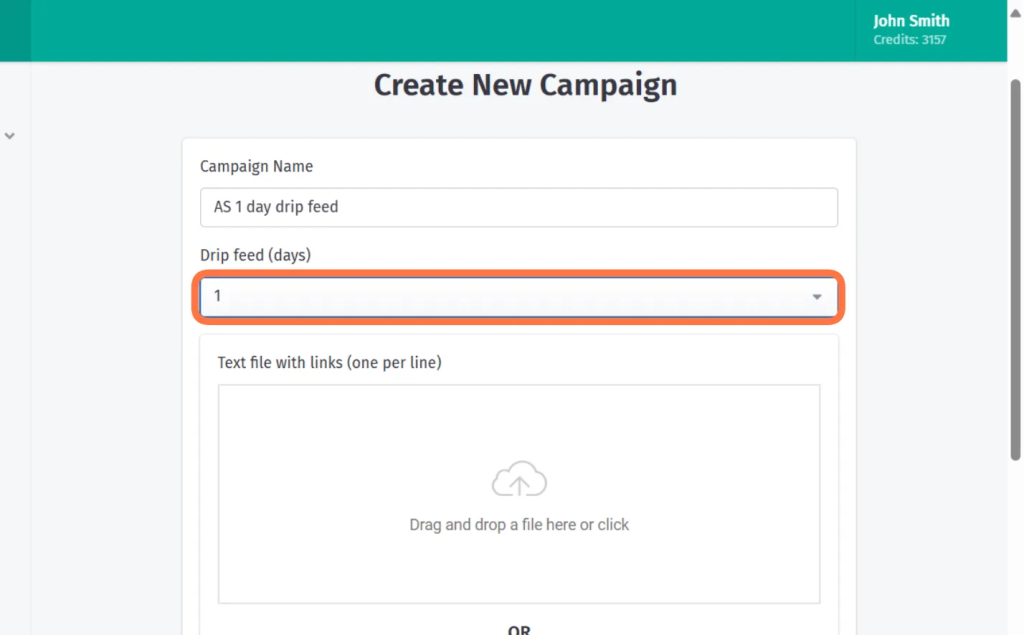
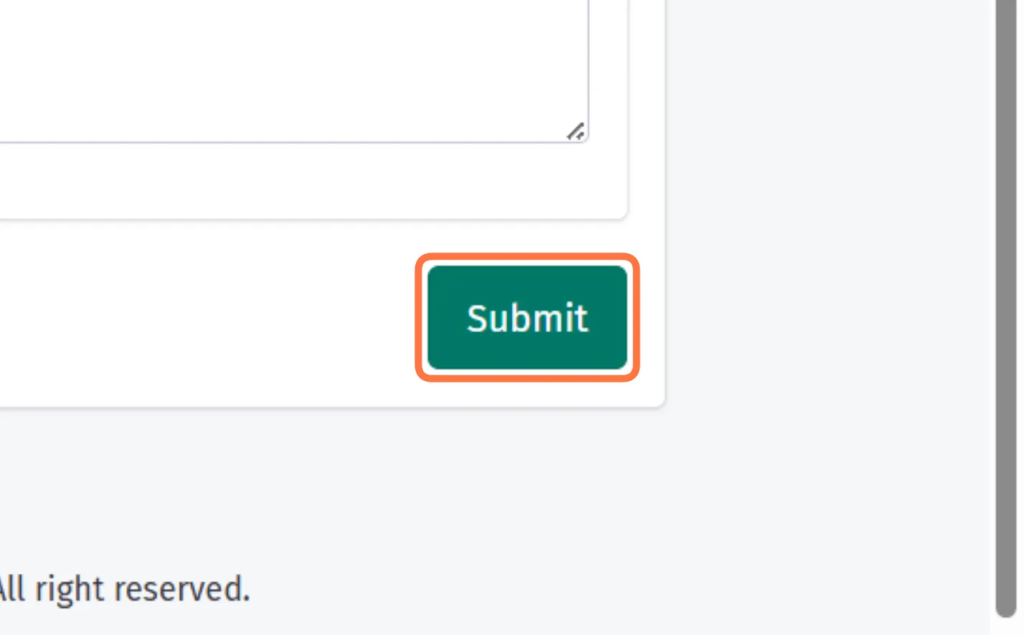
- Enter the links that was filtered and click SUBMIT
- The next one will be to check it after a week. After one week, go back to the indexer sheet and submit all the non-indexed links into Indexcheckr. Same as the steps on Index Checking 4 to 16.
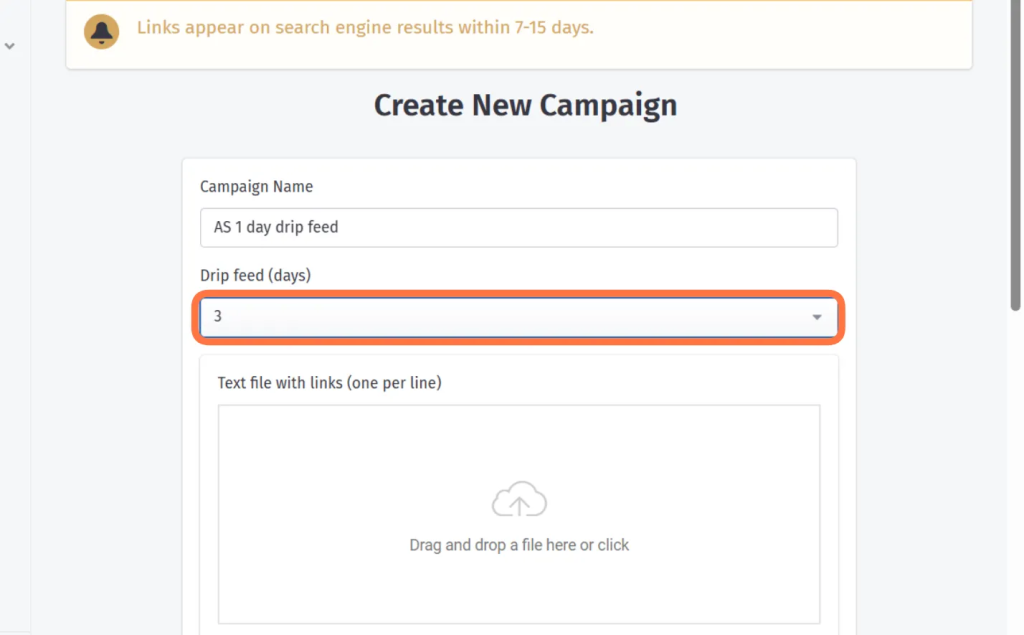
- Filter out the “No Index” Link status and go again to OmegaIndexer, Do the steps on Reindexation Task 3 to 8, but this time set the drip feed to 3 days. Then click SUBMIT.
- After a week again, do the same steps and set the drip feed to 7 DAYS.
- REMINDER TO ALWAYS COMMENT ON THE CLICKUP TASK THAT YOU HAVE SUBMITTED THE DRIP FEED. FOR EXAMPLE, “SUBMITTED 1 DAY DRIP FEED” TO ALLOW US TO TRACK THE PROGRESS OF THE RECURRING MONTHLY TASK.
6.3. Tools and Resources
[List tools, software, or resources necessary for the procedure]
- Index Checker: Serped, Indexcheckr
- Reindexing Submission Tool: OmegaIndexer
7. Safety and Compliance Measures
Applicable Regulations:
Webmaster Guidelines:
Content Quality: Ensuring that indexed content adheres to Google’s Webmaster Guidelines, which include avoiding duplicate content, thin content, and ensuring that pages offer valuable and original information to users.
Security Measures: Implementing secure protocols (HTTPS) and avoiding indexing pages with malware or harmful content to protect users’ safety.
Technical Guidelines:
Robots.txt Compliance: Respecting directives in the robots.txt file to avoid crawling and indexing pages that site owners do not wish to be indexed.
Meta Tags: Recognizing and adhering to meta tags such as noindex, nofollow, and noarchive that control indexing behavior.
Canonicalization: Properly handling canonical tags to prevent indexing duplicate content and ensure the correct version of a page is indexed.
Algorithmic Measures:
Spam Detection: Utilizing advanced algorithms to detect and demote spammy content and ensure high-quality, relevant results.
AI and Machine Learning: Employing AI and machine learning techniques to improve the accuracy and efficiency of crawling and indexing processes while ensuring user safety and content quality.
Transparency and Accountability:
Search Console: Providing webmasters with tools like Google Search Console to monitor their sites’ indexing status, receive alerts about potential issues, and manage how their content is indexed.
Regular Audits and Updates: Conducting regular audits and updates to crawling and indexing algorithms to address new security threats and improve compliance with evolving regulations.
8. Quality Control and Evaluation Metrics
Performance Indicators:
- Increased Backlinks from another domain to our target website
- Search results would show us links that is pointing to our website
- More Referring domains on tools such as ahrefs, semrush that helps our Domain Score or Authority Score
9. Exception and Problem Handling
- Credits Running Out – Make sure to check the monthly billing for our credits
- Error on links – Double check the links for some spacings and some “” on it to ensure the links will be submitted correctly
10. Documentation and Record Keeping
Documentation Requirements:
11. Procedure Review and Update
Review Frequency:
Indexation Task – Bi-weekly
Reindexation Task – 1 drip feed per week, Monthly Recurring